
Choose your numbers
Choose local, toll-free, or international numbers, or port eligible existing numbers.
VoxiPlus is a virtual phone system for business calls, SMS, voicemail, and team routing, with AI answering when you need extra coverage.
Take a quick tour of the pay-as-you-go business phone system, then pick the numbers and call flows your team needs.

Choose who rings during business hours, set an after-hours path, and use eligible business numbers for calls and texts.
Choose local, toll-free, or international numbers, record greetings, then route calls to a person, team, or fallback.
Choose local, toll-free, or international numbers, or port eligible existing numbers.
Welcome callers in your own words and tell them what to do next.
Send each call to the right person, team, or fallback.
See how VoxiPlus handles business numbers, call routing, team ringing, AI answering, texting, and call activity.
Add local, toll-free, or international numbers, or port eligible numbers.
Learn more →Set rules for departments, opening hours, branches, or availability.
Learn more →Let several teammates receive the call and have the first available person answer.
Learn more →Handle common questions, capture details, and follow the handoff rules you set.
Learn more →Send confirmations, reminders, and replies from eligible business numbers.
Learn more →See incoming calls, forwarding, messages, and other activity in the dashboard.
Learn more →Ready to set up the numbers and call flows your team needs?
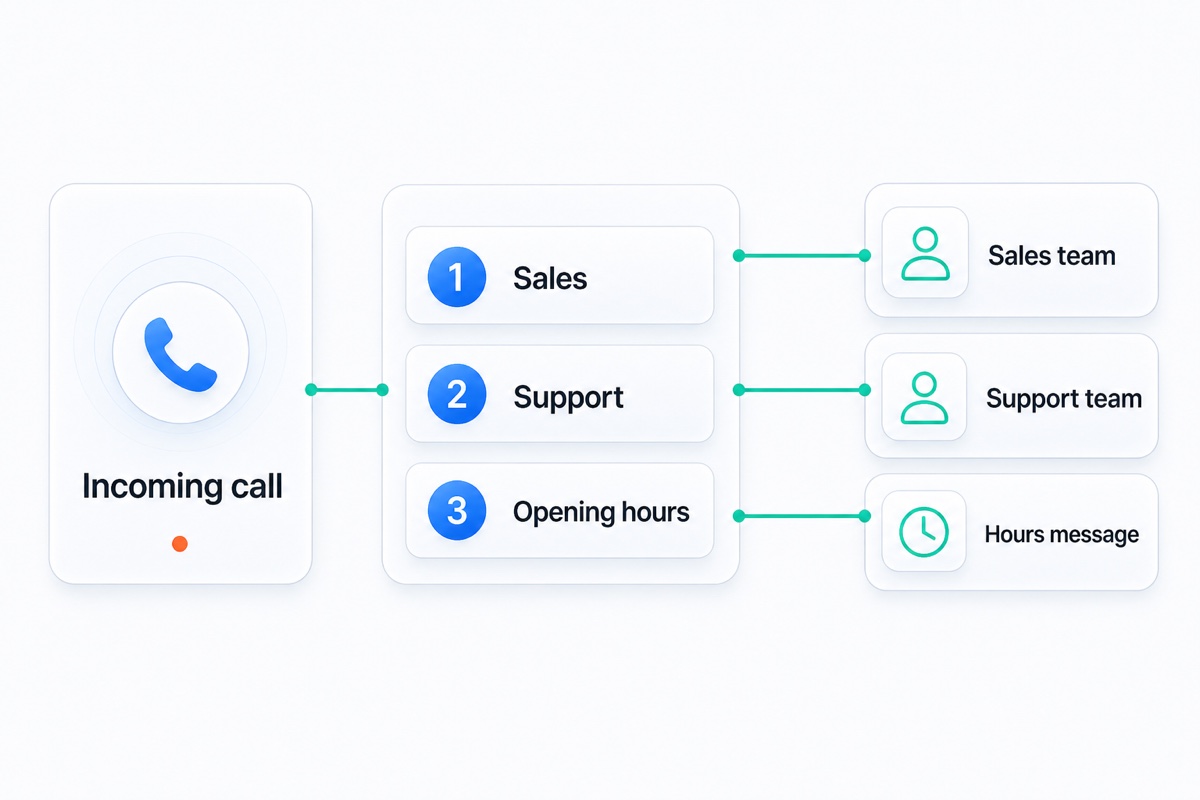
Get startedGive callers a short menu, then connect each choice to the person, team, or message that can help.
Add credits when you choose, then use them across VoxiPlus calls and eligible native texts as your team works.
Use Voxi.ai during busy periods or after hours to greet callers, answer common questions, capture details, and transfer or route the call.
See exactly what Voxi.ai can handle on a call.
Explore Voxi.aiSee how different teams route new enquiries, existing customers, and location-specific calls with VoxiPlus.
Answers about numbers, setup, credits, texting, and AI call handling.
Eligible business numbers can be ported to VoxiPlus. Transfer timing depends on each number's type, current carrier, and country.
You choose which existing phones or teammates should receive each business call. The exact options depend on your numbers and account setup.
The core setup is designed around three choices: choose the numbers you need, record greetings, and decide where each call should go.
VoxiPlus uses credits instead of monthly seat plans. See the pricing page for the current packs and usage details.
No. VoxiPlus works as a business phone system without the assistant. It is an optional add-on that stays off until you choose to use it.
VoxiPlus supports two-way business texting on eligible numbers. Messaging availability depends on the number, country, and account setup.
Concurrent call handling can keep more than one caller moving through the phone system. The number of simultaneous calls depends on your configuration.
Choose your numbers, add greetings, and route each one to the right call flow.