
Set your hours
Add the working periods that match your real weekday, weekend, or midday schedule.
Set weekly opening times so calls follow the appropriate open-hours or after-hours path.
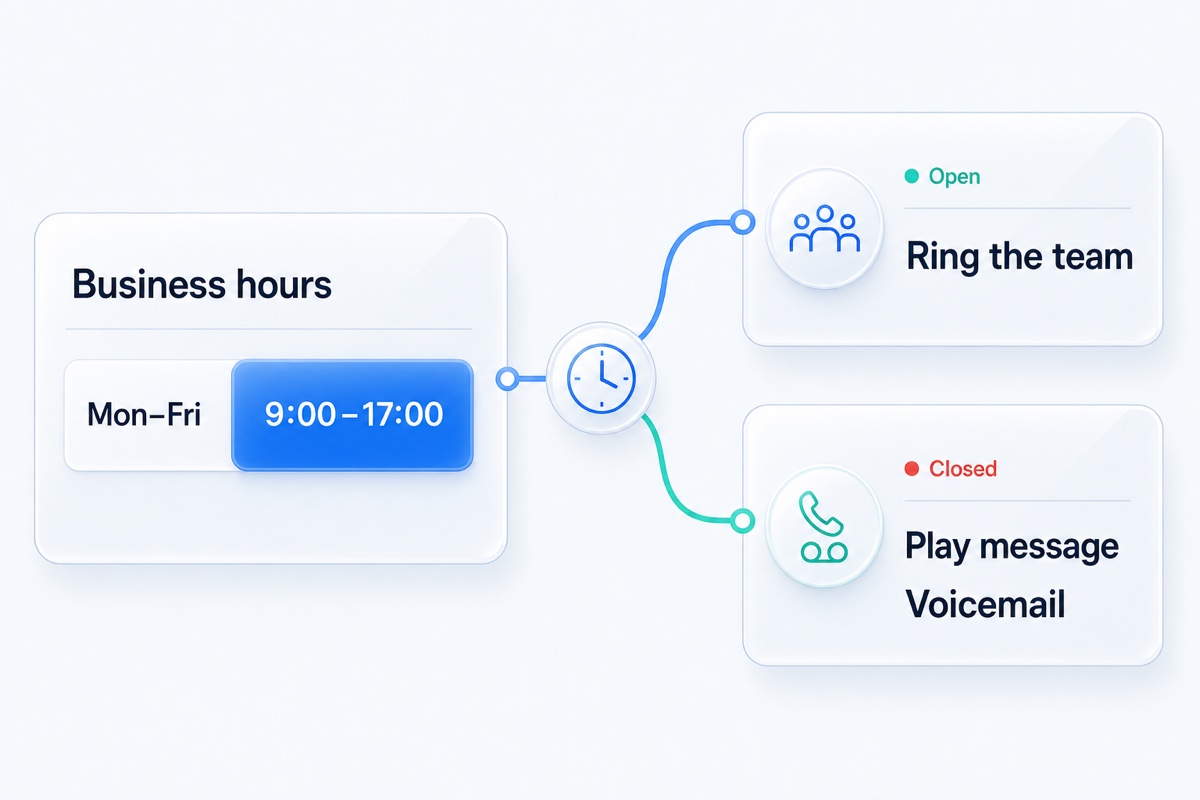
Business hours are the weekly times when your team is available to take live calls. VoxiPlus checks that schedule when a call arrives and follows the configured open or closed path. A clinic can ring reception during appointment hours and use a closed message with voicemail afterward, while a service business can send evening calls to its on-call fallback.
Set the hours, decide who should answer while you are open, and choose what callers should hear when you are closed.
Add the working periods that match your real weekday, weekend, or midday schedule.
Decide which person, team, menu, or destination handles calls while you are open.
Use a clear greeting followed by voicemail or another configured fallback.
Set business hours for your calls.
Get startedDaytime callers can reach the team. Evening callers hear when you are closed and continue to the right fallback.
Use the active periods available in your weekly schedule instead of forcing every day into the same hours.
When the closed path ends in voicemail, the configured email workflow can send the recording to the responsible inbox.
Tell callers when the team is available again instead of letting the line ring without a clear next step.
Use separate active periods so lunch or meeting-time calls follow the closed path.
Let callers know when the team opens and give them a configured way to leave a message.
How businesses like yours handle the clock.
Let office-hours calls reach reception while later calls follow the approved after-hours path.
Learn more →Give callers a clear next step after the office and field team finish for the day.
Learn more →Send booking calls to the right team while people are available to answer them.
Learn more →Practical answers about setup, call handling, and how this feature fits into VoxiPlus.
Yes. The business-hours flow supports configurable active periods by day. Use the available schedule controls to match the way your team actually works.
They hear the closed-hours greeting and then follow the fallback you configured, such as voicemail or another supported destination.
A configured after-hours path can send selected calls to an eligible person, mobile number, or other supported destination.
Use the closed-hours path for known closures. Holiday-specific scheduling depends on the options available in your account.
Yes. The weekly schedule selects the open or closed path based on the time zone you set. Test both paths before going live.
Phone business hours do not automatically send an SMS reply. Set up messaging separately if that workflow is available for your number.
Set the weekly schedule and give both open and closed callers a clear next step.